 Add us as a preferred source on Google
The hotel shows up in Google. The restaurant does not, or it attracts paid clicks that never become confirmed bookings. That usually points to a campaign problem, not a lack of local demand.
Hotel searches carry plenty of volume: rooms, wedding packages, conferences, spa facilities, jobs. If restaurant advertising sits inside the same structure, budget drifts towards those searches while the diners you actually want remain unreached.
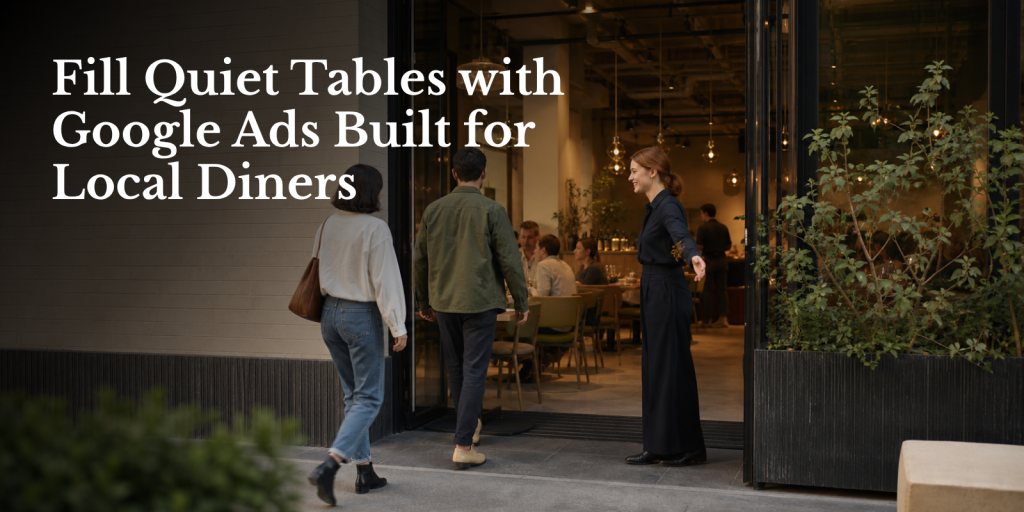
Google Ads for a hotel restaurant has one commercial job: fill available, profitable services with external diners. That means choosing the right meal periods, separating restaurant intent from accommodation demand, sending traffic to a booking-focused page and measuring confirmed covers rather than clicks alone.
This guide walks through the setup from first principles. It is written for restaurant and F&B managers who may not have run paid search campaigns before but know their operation well enough to make the right targeting decisions once the mechanics are clear.
Step 1: Start with the revenue problem, not the Google Ads interface
Before opening Google Ads, look at the restaurant’s covers and table availability by day and service.
You may find that Friday dinner is already close to full while Monday and Tuesday evenings are quiet. You may have strong in-house demand at breakfast but plenty of capacity for Sunday lunch. Those differences should shape every campaign decision that follows.
Advertising every service equally creates two problems. You spend money where demand already exists, and you risk creating bookings for a service the team cannot comfortably accommodate. A useful campaign supports the restaurant’s current commercial priority.
Write down:
- The services with available tables
- The average revenue per cover for each
- The days where occupancy is weakest
- The services where extra bookings would improve revenue
- Any operational restrictions, such as limited staffing or kitchen capacity
The goal is not the highest number of clicks. It is additional covers at an acceptable cost.
For broader work on attracting external guests through search, the guide on attracting local diners through search visibility covers the organic side of the same problem.
Step 2: Choose the services the campaign needs to fill
Pick your first target service before you set a daily budget.
A hotel restaurant might prioritize Monday to Wednesday dinner because those services have spare capacity. A destination property might focus on Sunday lunch during a quieter season. An urban hotel could promote evening dining to local residents while relying on hotel guests and corporate bookings to support weekday breakfast and lunch.
Once the target service is clear, the campaign can reflect the real need. Use ad copy that refers to dinner when dinner is the target. Schedule more spend around the periods when people typically search and book. Send visitors to the relevant menu or booking page. Review results by service period rather than blending all bookings together.
Seasonal events and set occasions deserve their own campaigns and landing pages. Valentine’s Day, Mother’s Day and New Year’s Eve searches carry different intent from an ordinary Tuesday dinner. They also need different budgets, copy and booking information.
Step 3: Build a hotel-specific campaign structure
This is where hotel restaurant campaigns diverge from ordinary restaurant PPC.
Keep restaurant activity separate from accommodation campaigns. A separate Google Ads account may be appropriate where the restaurant has its own budget and commercial objectives. If that is not possible, create clearly segregated restaurant campaigns with their own budgets, keywords, ads and conversion actions.
A practical starting structure:
| Campaign | Purpose | Typical targeting | |
|---|---|---|---|
| Brand restaurant | Capture people searching for the restaurant by name | Restaurant name and close variations | |
| Local non-brand | Reach people comparing dining options | Cuisine, location and meal occasion | |
| Seasonal or event | Promote a specific dining occasion | Event and offer-related searches | |
| Regional or destination | Reach diners willing to travel further | Regional and occasion terms |
The brand campaign protects demand from people who already know the restaurant. The non-brand campaign does the harder work of reaching new external diners.
Hotel brand terms need careful handling. If the restaurant has a distinctive name, you can separate restaurant brand searches more cleanly. If the restaurant is simply called “The Restaurant at Hotel X,” searches for the hotel name will include room shoppers, meeting planners and diners alike. Review the actual search terms before deciding whether a hotel brand keyword belongs in the restaurant campaign. Do not block every search containing the hotel name, but do exclude terms that clearly indicate accommodation or another hotel service.
Start with Search campaigns. They give you direct control over keyword intent and ad copy. Local activity connected to the restaurant’s Google Business Profile can support map-based discovery and nearby searches. Performance Max can be tested later, once tracking is reliable and the account has useful conversion data. It should not be the default starting point.
Step 4: Choose keywords that signal dining intent
Group keywords into tight themes. Avoid putting every restaurant-related term into one ad group.
Location and cuisine terms. These searches show that someone is looking for a place to eat in a defined area: “Italian restaurant [city],” “restaurants in [neighbourhood],” “fine dining [city],” “hotel restaurant [city].” That last example needs care. It may attract diners, but it can also bring people looking for rooms. Watch the search terms and add negative keywords where required.
Booking and meal occasion terms. These searches are closer to a reservation decision: “book restaurant tonight,” “dinner reservation [city],” “Sunday lunch [area],” “romantic dinner [city],” “business lunch [city].” Match the ad and landing page to the intent. Someone searching for Sunday lunch should see Sunday lunch details, not a generic hotel homepage.
Near-me searches. “Restaurants near me” can generate useful local demand, but it is less specific than a cuisine, neighborhood or occasion search. Keep it in its own ad group or campaign so you can measure whether it produces calls and bookings, or only browsing.
Avoid relying on broad terms such as “restaurant” or “food.” These attract people searching for recipes, delivery, employment, other locations and general information that has nothing to do with dining at your property.
Step 5: Set location targeting around how far diners will travel
Start with a tight area around the property. A radius of approximately 3 to 10 miles (5 to 15 kilometers) is a common starting point, but the correct range depends on the market.
A city-center hotel may need only a small radius because diners have many nearby choices. A rural or resort property may need a wider area because local residents are accustomed to driving for dinner. A destination restaurant should use a separate regional layer for searches such as anniversary dining or a special occasion in the wider area. Do not broaden every campaign simply because the restaurant wants more impressions. Wider targeting can bring more traffic from people who are unlikely to visit.
Use the campaign settings to target people who are in, or regularly in, the selected location where that option is available. Check which locations are producing clicks and bookings. Actual travel behavior should determine the next adjustment.
Step 6: Build a negative keyword list for hotel-only traffic
Negative keywords prevent the restaurant campaign from paying for searches that belong to another part of the hotel. This list is not a one-time task. It is ongoing campaign maintenance.
Start with these categories:
- Accommodation: rooms, room rates, hotel booking, suites, accommodation deals
- Events and meetings: wedding packages, conference, meeting rooms, function rooms
- Other hotel services: spa, gym, pool
- Employment: jobs, careers, vacancies, recruitment
- Irrelevant food searches: recipes, cooking, menu PDF, delivery (where the restaurant does not offer it)
Review the Search terms report regularly and add irrelevant phrases based on what people actually searched. The shared-brand hotel creates a particular challenge. A search for the hotel name plus “rooms” should not trigger restaurant advertising. A search for the same hotel name plus “dinner” may be useful. The wording matters, and only the search terms data will tell you what is actually happening.
The following diagnostic table connects common problems with the first checks and campaign responses:
| Problem | Check first | Campaign response | |
|---|---|---|---|
| Hotel name attracts room searches | Search terms and campaign separation | Add accommodation negatives and separate restaurant activity | |
| Weak local discovery | Restaurant profile and location assets | Correct the Google Business Profile connection | |
| Clicks but few bookings | Landing page and booking flow | Use a dedicated restaurant page and track confirmations | |
| Friday is full but Tuesday is quiet | Covers and availability by service | Concentrate budget on weaker target services | |
| Reported conversions cannot be verified | Booking and analytics setup | Use confirmation events, call logs or booking reconciliation | |
| Wider market is commercially relevant | Travel patterns and restaurant positioning | Add a separate regional campaign |
Step 7: Send every ad to a page built for restaurant bookings
Paid traffic should go to a dedicated restaurant page, not the hotel homepage. The homepage makes the diner search again, choose the restaurant and find the booking route. Each extra step gives them a reason to leave.
The restaurant page should include:
- The restaurant name and positioning
- The menu or representative dishes
- Opening and service times
- Location, parking and access information where relevant
- A clear statement that external diners are welcome
- A prominent “Book a table” action
- A mobile-friendly reservation flow
- Dietary and dress information where it affects booking confidence
The hotel brand can provide reassurance, but the page needs to behave like a restaurant booking page. If the hotel’s main website is controlled centrally, a lightweight standalone restaurant page may be more practical than waiting for a broader web project.
The booking journey itself deserves close attention. The guide on why hotel restaurants lose reservations at the last step covers the friction that can appear after the initial click, and that friction directly affects whether your ad spend converts into confirmed covers.
Step 8: Write ads for the decision a local diner is making
Generic hotel copy wastes the opportunity to explain why someone should book this restaurant.
Use the search theme in the ad. If the campaign targets dinner, say dinner. If it targets a cuisine and location, lead with those. Include a direct booking instruction. Mention local access. Reference a seasonal menu or event where relevant. If the restaurant welcomes non-residents, say so clearly.
Avoid claims such as “the best restaurant in town” unless you can substantiate them. Brand guidelines may also restrict promotional language, especially for luxury or corporate hotel groups.
Use sitelinks to the menu and reservations page. Add location assets connected to the correct restaurant Google Business Profile. Call assets are useful when the team can answer booking inquiries reliably. A missed call during service is not a successful conversion.
Step 9: Schedule ads around service demand and booking behavior
Ad scheduling should follow how your diners book and when the restaurant needs covers.
Restaurant searches often concentrate around lunch and dinner planning. Late morning to early afternoon and late afternoon to evening are commonly useful windows, but your own booking lead times should decide the schedule. A same-day booking restaurant may need coverage close to service. A restaurant that receives bookings several days ahead should remain visible earlier in the booking cycle.
Coordinate campaign changes with the restaurant team. If the kitchen is at capacity, reduce activity for that service. If Tuesday is consistently underused, make sure the campaign can support it. Paid search cannot compensate for unavailable tables, and it should not be filling tables that are already full.
Step 10: Track confirmed bookings, not just clicks
Conversion tracking is a launch requirement, not a later improvement.
Track these actions separately where possible:
- Completed reservation confirmations (primary conversion)
- Calls from ads
- Booking-button clicks (secondary, supporting event)
- Menu views and directions requests (supporting indicators)
A booking-button click proves that someone started the process. It does not prove that a table was reserved. If the reservation system provides a confirmation page or event, use that as the primary conversion. Some systems provide integrations or clear confirmation URLs. Others use an iframe or a multi-step flow that makes a clean confirmation difficult to capture.
Where the booking platform does not expose a reliable confirmation event, consider Google Tag Manager event tracking, call tracking and reconciliation against the reservation system. A booking-button click can remain useful, but label it honestly as an assisted or soft conversion.
The commercial measures should include:
- Cost per confirmed booking: advertising spend divided by confirmed reservations attributed to the campaign
- Cost per cover: advertising spend divided by confirmed covers
- Booking value or estimated revenue: the commercial return those covers represent
- Results by day and meal period: whether spend is supporting the target services
- Cancellations and no-shows: the quality of the demand, not just the quantity
A campaign that spends $300 and produces 30 confirmed covers has a cost per cover of $10. Whether that works depends on average spend per guest, gross contribution, cancellation rates and whether those covers filled genuinely available capacity.
Step 11: Set a budget and bidding approach that matches capacity
There is no responsible universal Google Ads budget for restaurants.
Your starting spend should reflect available covers, revenue per cover, target services, local search demand and the acquisition cost the business can accept. A small restaurant with limited capacity may need modest spend concentrated on weak early-week services. A large all-day venue may be able to support wider coverage.
Practitioner guidance places a fuller multi-campaign restaurant structure at approximately $1,000 to $2,500 per month. Case studies also report useful results from tightly targeted campaigns at lower budgets. These are reference points, not guarantees of performance.
You may begin with Maximize Clicks while the account collects conversion data. Once reliable conversion volume exists, conversion-based bidding such as Target CPA can be considered. Practitioner guidance often cites approximately 30 conversions per month as a reference point for making that switch. It is not a formal Google requirement.
Set an acquisition target from the restaurant’s economics, then review it against actual covers. A cheap booking on a full Saturday may be less valuable than a slightly more expensive booking on a quiet Tuesday.
Step 12: Review performance by covers and service period
Use a monthly review table that connects advertising activity to restaurant operations:
| Measure | What it tells you | |
|---|---|---|
| Spend | What the campaign used | |
| Confirmed bookings | Reservations attributed to advertising | |
| Covers | The actual table demand generated | |
| Cost per booking | Acquisition cost at reservation level | |
| Cost per cover | Acquisition cost at guest level | |
| Booking revenue or estimated cover revenue | Commercial return | |
| Cancellations | Quality of the demand | |
| Keyword theme results | Which intent converts | |
| Day and meal period results | Whether spend supports target services |
The blended account figure can hide the real result. A campaign may appear efficient because it captures people already searching for the restaurant by name, while the non-brand campaign produces new local demand at a higher but still acceptable cost. Review brand and non-brand separately. Review “near me,” cuisine and occasion searches separately. Then compare each against table availability and revenue contribution.
If the restaurant’s Google Business Profile is not accurate or fully set up, location assets and map-based discovery will underperform regardless of ad spend. The Google Business Profile setup and optimization guide for hotel restaurants covers the requirements before connecting profile assets to your campaigns.
Common mistakes that waste hotel restaurant ad budget
Assuming the hotel brand will fill the restaurant. Hotel visibility attracts people looking for rooms and hotel services. Restaurant demand needs its own campaign structure and message.
Sending traffic to the hotel homepage. It creates unnecessary steps between the ad and the booking action. A dedicated restaurant page removes that friction.
Treating clicks and impressions as success. They indicate exposure and traffic. Confirmed bookings and covers indicate commercial performance.
Using broad match and broad restaurant terms from the start. They can capture irrelevant or out-of-area searches. Start with tighter intent and expand only when the search terms support it.
Making Performance Max the first campaign. Search and Local provide clearer control when the account is being built and conversion data is limited.
Counting a booking-button click as a reservation. Treat it as a secondary action unless the booking system confirms the reservation completed.
Expecting Google Ads to replace local SEO and Google Business Profile work. Paid advertising works better when the restaurant’s local listing, website and booking journey are already accurate. If the restaurant is not showing on Google at all, that is a foundation problem to solve before investing in paid traffic.
FAQ
How do I run Google Ads for a hotel restaurant?
Start by choosing the services that need additional covers. Separate restaurant campaigns from accommodation activity, create brand and non-brand search campaigns, target a realistic local area and use hotel-specific negative keywords. Send every ad to a restaurant booking page and track confirmed reservations wherever the booking system allows it.
Are Google Ads worth it for restaurants?
They can be, when the campaign targets available capacity and the restaurant measures confirmed bookings and cost per cover. Google Ads will not fix poor positioning, unavailable tables or a broken reservation journey. The result depends on targeting, landing page quality, tracking and the value of the covers generated.
How much should a restaurant spend on Google Ads?
Set the budget according to available covers, average revenue per cover, target services and acceptable acquisition cost. Practitioner guidance places a fuller restaurant campaign structure around $1,000 to $2,500 per month, while tightly targeted campaigns can operate at lower budgets. These figures are reference points, not expected results.
How do I target local customers with Google Ads?
Use location-qualified keywords, cuisine and occasion terms, then set a radius based on realistic travel behavior. A starting radius of approximately 3 to 10 miles (5 to 15 kilometers) may suit some properties. Urban, rural, resort and destination restaurants will need different catchments.
What keywords should a restaurant use in Google Ads?
Use terms that show dining intent: cuisine plus location, dinner reservations, Sunday lunch and relevant occasion searches. Test “near me” terms separately because they can be broader. Add negative keywords for rooms, weddings, conferences, spa, jobs, recipes and other searches that do not represent a visit to the restaurant.
How do I track restaurant bookings from Google Ads?
Use a reservation confirmation page or booking-complete event as the primary conversion where possible. Track calls and booking-button clicks separately, especially when the reservation system uses an iframe or does not provide a clean confirmation step. Reconcile reported conversions with the reservation system so cost per booking and cost per cover reflect real covers.
A workable setup follows a clear sequence: choose weak but profitable services, separate restaurant intent from hotel demand, target a realistic local area, send traffic to a booking-focused page and measure confirmed covers.
If you would rather have this set up correctly from the start without managing it internally, HospitalityPlate covers Google Ads as part of the full marketing stack for hotel restaurants, connecting campaign activity to the wider booking journey. Book a call to discuss your property, target services and goals.