 Add us as a preferred source on Google
A Google listing that shows the hotel’s main phone number, reception hours and a photograph of the exterior tells a local diner very little about dinner. They cannot see the restaurant’s service times, menu or a direct route to reserve a table.
That is usually because the restaurant is being represented as part of the accommodation business rather than as a dining business in its own right. Adding a few food photographs to the hotel profile does not resolve the structural problem. The profile itself is built around room bookings, not restaurant covers.
A public-facing hotel restaurant may be eligible for its own Google Business Profile. This guide walks through how to confirm eligibility, create or claim the correct profile, and configure it around the information an external diner needs before booking.
1. Check the profile a local diner actually sees
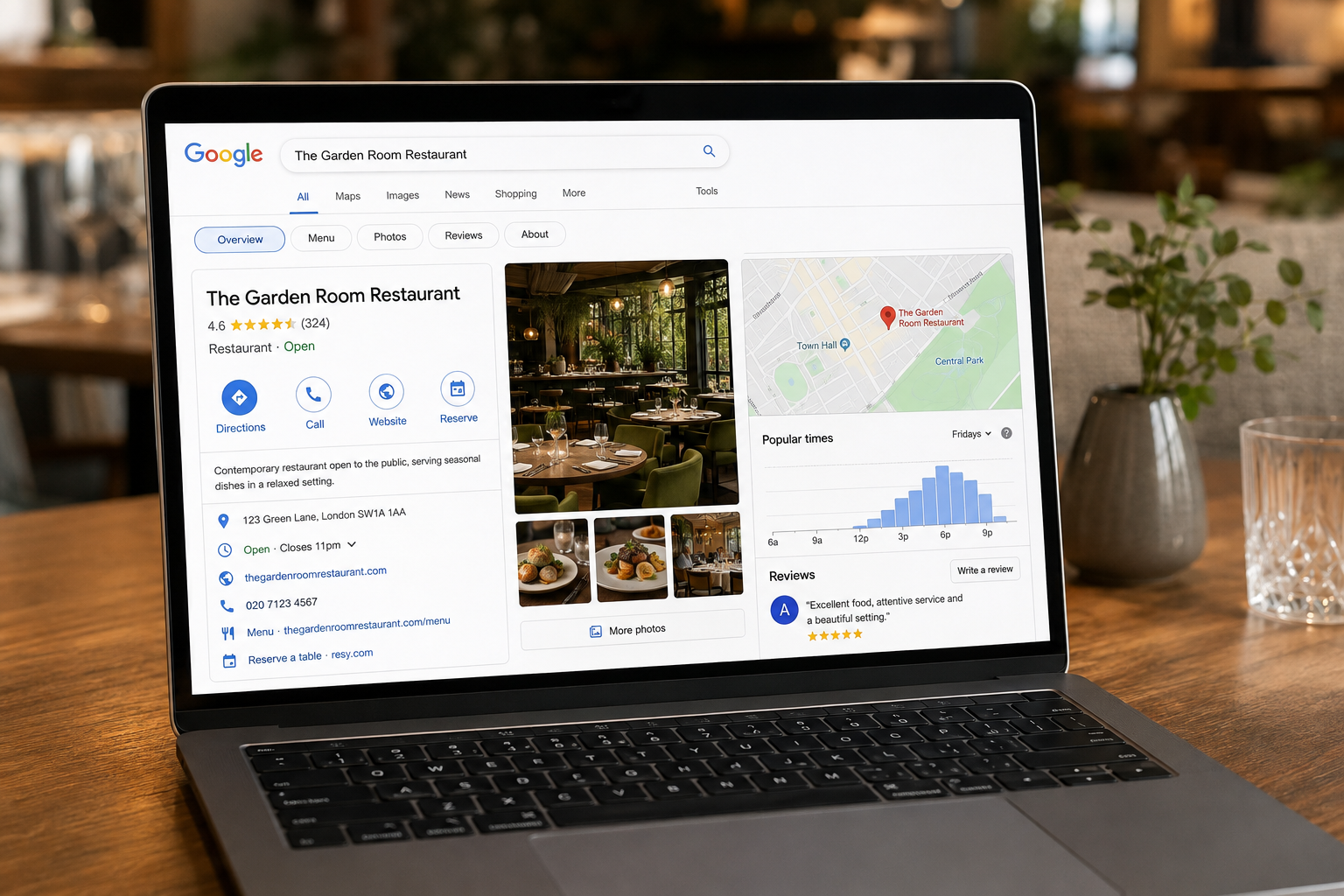
Search for the restaurant by name on Google and Google Maps. Look at the listing the way a customer would.
Can you identify the restaurant quickly? Are the opening hours for public dining clear? Does the listing show the current menu? Is there a working reservation route? Do the photographs show the dining room, or only the hotel façade?
A hotel profile is designed to represent the accommodation business. Google’s documentation treats businesses inside hotels, including restaurants that operate as independent destinations, as potentially eligible for separate profiles. A restaurant profile has different categories, fields and features than a hotel profile.
The distinction affects the booking journey directly. A diner searching for dinner may be willing to eat inside a hotel, but they still need confidence that the restaurant is open to the public, suits the occasion and can accept their reservation without a room booking.
Start with the structure. There is no value in spending an afternoon replacing photographs on the wrong profile.
2. Decide whether the restaurant qualifies for its own profile
Google allows profiles for businesses located inside a hotel when they operate as standalone businesses and can be accessed independently from the main hotel. The restaurant does not necessarily need a separate street entrance, but non-guests must be able to use it as a public dining destination.
Work through this decision sequence before creating anything.
| Current situation | Likely action | |
|---|---|---|
| The restaurant accepts bookings from the general public and has its own brand, booking path and public-facing signage | The case for a separate profile is strong | |
| The restaurant welcomes non-guests but has no clear identity or signage | Clarify the real-world branding before creating a profile | |
| The operation is a guest breakfast room, executive lounge or private amenity | Do not create a separate listing | |
| Hotel and restaurant profiles have already merged | Investigate the cause and contact Google Business Profile support rather than creating a duplicate |
A separate profile is not an automatic entitlement. Google’s eligibility rules and department-profile guidelines can change, so check the current Google Business Profile guidelines before implementation.
The practical test: can someone who is not staying at the hotel find, access and book the restaurant as a genuine dining business? If the answer is yes, a separate profile is worth pursuing. If the restaurant is guest-only, keep the information accurate on the hotel profile and leave it there.
3. Claim or create the restaurant profile
Search Google Maps for an existing listing before creating a new one. Restaurants often have an old profile created by a former agency, a hotel group contact or a team member who has since left.
If a profile exists, claim it or request access through Google’s verification process. If no eligible listing exists, create one using the restaurant’s real-world details and complete the verification steps available for your location.
Keep ownership under an appropriate business or property structure. The restaurant’s Google presence should not depend on one employee’s personal account. At the same time, avoid giving unrestricted editing access to several unrelated suppliers. Decide in advance who is responsible for approving changes, responding to reviews and resolving verification issues.
If the restaurant profile has already been merged into the hotel listing, document the problem before attempting fixes. Record the restaurant name used on signage, the website address, booking page URL, photographs of the entrance and any evidence that non-guests can dine there. Do not create multiple similar profiles hoping one survives. Google’s representation guidelines generally allow one profile per business per location, and duplicate listings make correction harder.
4. Set the correct name and category
The profile name should match the name customers see on the restaurant’s signage, menus, website and booking system. Do not add location keywords, promotional wording or unsupported descriptions to force relevance.
If the restaurant is called “The Courtyard,” use that name where it is consistently represented that way. If the real-world name is shared with the hotel, the distinction may require closer attention. Google’s naming guidelines focus on how the business is recognised in the real world, including its branding and signage.
Choose a primary category that describes the restaurant accurately. Depending on the concept, this might be a cuisine-specific category like “Italian Restaurant” or a service-led category like “Fine Dining Restaurant.” Use secondary categories only where they genuinely describe the operation.
Avoid defaulting to “Hotel” as the category. The fact that the restaurant is inside a hotel belongs in the relationship between the profiles and in the business description. A hotel category cannot be made to behave like a restaurant category by adding more description text, and category selection affects which features become available, including menu display and reservation options.
5. Connect the restaurant to the hotel without losing its identity
The restaurant should be clearly associated with the hotel, but that association should not erase its identity as a dining destination.
Where available, use the “located in” relationship to show that the restaurant operates inside the hotel. This gives Google and searchers the relevant context without forcing the restaurant to exist only as a subsection of the hotel profile.
Confirm that the following details agree across both profiles:
- Hotel and restaurant names (distinct where they differ, consistent where they overlap)
- Street address
- Maps pin placement
- Public contact route for restaurant enquiries
- Restaurant website or dedicated restaurant page
The description can mention that the restaurant is located inside the hotel, but a sentence in the description is not a substitute for structuring the relationship correctly at the profile level.
The restaurant’s web presence should also make the connection clear without creating confusion. A diner arriving from Google should not have to work out whether the restaurant is private, whether hotel guests have priority or where the entrance is.
6. Complete the information a diner needs before booking
Work through every core field with an external diner in mind:
Restaurant name. Matches signage and real-world branding.
Address. The property address, with any useful detail about restaurant entrance location.
Phone number. A line that reaches someone who can help with a restaurant enquiry. The hotel switchboard is workable but not ideal.
Website. A dedicated restaurant page or site, not the hotel homepage.
Primary and secondary categories. Accurate restaurant categories as discussed in Step 4.
Description. Explains the concept, cuisine and location within the property. Makes public access clear. Avoids copying the hotel description, which is written for room guests.
Reservation link. A direct booking URL that opens the restaurant reservation flow, not a generic hotel enquiry form.
Menu URL. A current, mobile-friendly menu page showing dishes and prices.
Attributes. Relevant options such as outdoor seating, wheelchair accessibility or accepted payment methods.
A restaurant profile should help someone decide whether the venue suits the occasion. The menu, photographs and booking path need to support that decision together. A detailed menu page loses its value when the profile sends the diner to a generic hotel homepage first.
7. Set restaurant hours separately from hotel hours
Hotel reception may operate around the clock. The restaurant does not.
Set the hours that apply to public dining. A hotel restaurant may serve breakfast for guests, open for lunch on selected days, operate dinner service in the evening and run a separate brunch or bar schedule. Those details need to appear accurately on the restaurant profile.
Review and set:
- Main restaurant service hours for each day
- Kitchen closing times where they affect a booking decision
- Seasonal variations in service
- Holiday and event-related changes
- Temporary closures
Google supports both standard hours and special hours for specific dates. Use special hours proactively rather than relying on a diner to call and check.
Nominate one person to update the listing before a known change takes effect. This responsibility often sits in the gap between F&B operations, reception and marketing, which is exactly how outdated information survives for months. A diner who arrives to find the kitchen closed will often leave a review about the restaurant, even when the real problem was an inaccurate profile.
8. Add the reservation link and test the full booking path
Add the restaurant’s direct booking URL through the profile options available to you. The link should take the diner into the restaurant reservation flow, not into a hotel accommodation page.
Test the full journey on a mobile phone:
- Search for the restaurant by name on Google.
- Open the listing.
- Select the booking or reservation option.
- Choose a date, time and party size.
- Complete the reservation without encountering confusion about hotel guest status.
Check the confirmation message too. It should identify the restaurant clearly and provide relevant arrival or access information.
Reservation features depend on the profile configuration and the booking provider you use. Not every provider connects automatically with Google, and having a restaurant profile does not guarantee that every Google booking feature will appear. If your current system does not integrate, the booking URL field still gives you a direct link to your reservation page.
The commercial logic is simple: a profile view has limited value if the diner cannot move from interest to a confirmed cover.
9. Use photographs that represent the dining experience
The image set should help an external diner recognise the venue and picture the occasion they are planning.
Include photographs of:
- The restaurant entrance and any permanent signage
- The dining room during service or set for service
- The bar, terrace or private dining space where relevant
- Representative dishes from the current menu
- Table settings that communicate the level of formality
- The route from the street or hotel entrance where wayfinding is not obvious
Photograph the restaurant in both daylight and evening light if the atmosphere changes significantly between services.
Generic hotel architecture and guest-room photography do not answer the questions a diner has. They may show that the property is attractive, but they say nothing about what dinner feels like or where to go when arriving.
Review the image set after a refurbishment, menu change or seasonal repositioning. Outdated photographs create a gap between expectation and experience that reviews will close for you, unfavourably.
10. Build a review process around the dining experience
Ask genuine diners for reviews at a natural point after the meal. Do not offer incentives or script the wording. Make the review route accessible, but let the customer describe the experience in their own terms.
Monitor comments about food, service, atmosphere, value, the booking experience and access within the hotel. Patterns in negative feedback often point to fixable operational or profile problems. Repeated complaints about difficulty finding the entrance, for example, may indicate a signage issue or an incomplete profile rather than a service failure.
Respond to reviews consistently and professionally. Keep hotel stay feedback and restaurant feedback distinct where possible. A guest may review the hotel overall, but a restaurant profile should help future diners assess the meal specifically.
11. Maintain the profile between services
A Google Business Profile needs an operating rhythm. Assign clear responsibility rather than assuming someone will notice a problem.
Weekly: Confirm the opening hours, reservation link and any recent customer questions or suggested edits from Google.
Monthly: Review photographs, categories, menu information and the performance data available in the profile dashboard.
After an operational change: Update the menu, hours, booking route and access information before the change takes effect.
After new reviews: Respond within a reasonable timeframe and record recurring issues that require an operational fix rather than just a reply.
Google Posts can be useful when there is something specific to communicate, such as a seasonal menu launch, a public event or a change to service hours. Posting for the sake of visible activity creates work without helping a diner make a decision.
Summary: what you should now have in place
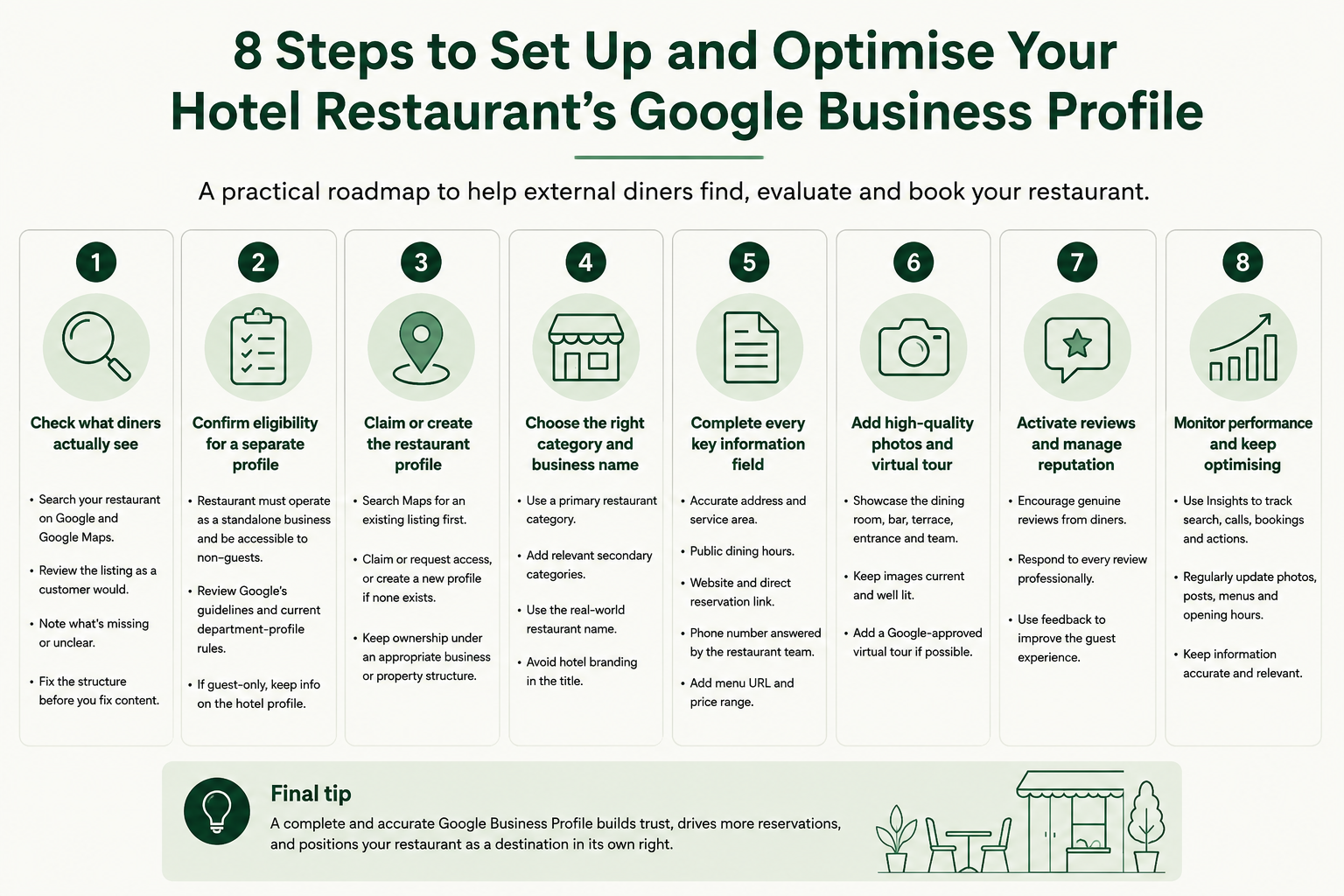
A hotel restaurant’s Google Business Profile should answer four questions quickly: what the restaurant is, where to enter, when it serves and how to book. When those answers are buried inside a hotel listing or sitting behind outdated information, the restaurant forces external diners to do unnecessary work, and most of them will not.
Use this checklist to confirm the profile is complete:
- [ ] The restaurant can be found by name on Google and Maps
- [ ] The listing identifies the business as a restaurant, not a hotel
- [ ] A separate profile is appropriate under Google’s current guidelines
- [ ] The “located in” relationship links the restaurant to the hotel
- [ ] Restaurant hours are distinct from hotel operating hours
- [ ] The booking link works on mobile and opens the restaurant reservation flow
- [ ] The menu shows current dishes and prices
- [ ] Photographs show the actual dining experience
- [ ] Recent reviews are being answered
- [ ] The website, booking system and Google profile agree on all key details
This checklist will not guarantee higher rankings or an immediate increase in covers. It removes the avoidable barriers between a local diner’s search and a reservation at your restaurant. That is the right standard to hold the profile against.
Frequently asked questions
How do I set up a Google Business Profile for a hotel restaurant?
Search Google Maps for an existing restaurant listing and claim it if one is present. If the restaurant is open to non-guests, can be accessed independently and operates as a public dining business, create or claim a separate profile using its real-world name, an accurate restaurant category and current business details. Check Google’s latest eligibility guidance before starting, as the rules for department and sub-business profiles can change.
Can a hotel restaurant have its own Google Business Profile?
A hotel restaurant may have its own profile when it operates as a standalone business accessible to the general public. A guest-only breakfast room, executive lounge or private amenity should not receive a separate listing. The restaurant’s branding, signage and real-world operation all affect whether it qualifies.
Should a hotel and restaurant have separate Google Business Profiles?
They should generally have separate profiles when the hotel represents accommodation and the restaurant operates as a public dining destination. The profiles can be connected through a “located in” relationship, which provides context without merging the two. Do not create a second profile when the restaurant is not a distinct eligible business, and contact Google Business Profile support if existing profiles have merged.
What category should I choose for a hotel restaurant on Google?
Choose the most accurate available restaurant category for the concept, such as a cuisine-specific category or “Fine Dining Restaurant.” Add secondary categories only when they genuinely describe the operation. Category selection affects which features Google makes available on the profile, including menu display and reservation options.
How do I add a reservation link to my Google Business Profile?
Add the restaurant’s direct booking URL through the profile fields or provider integration options available to you. Test it from both Google Search and Google Maps on a mobile device to confirm it opens the correct reservation flow. Not every booking platform connects automatically, so the booking URL field may be your primary option.
Can I show restaurant opening hours separately from hotel hours on Google?
Yes. The restaurant profile should show the hours that apply to public dining, which will typically differ from hotel reception hours. Add standard hours, specific service periods and special hours for seasonal changes or closures. Keep this information current so that diners are not relying on the hotel’s 24-hour availability when planning a meal.
If you would rather have the profile, website and booking connection set up correctly from the start without managing it internally, HospitalityPlate covers the full stack of restaurant website, booking integration, Google Business Profile and local SEO work under a single service. Book a call to discuss what your property needs.